Timesheet
Timesheet turns tracked hours into payable amounts, computed straight from the activity record — there is no AI step and nothing to generate.
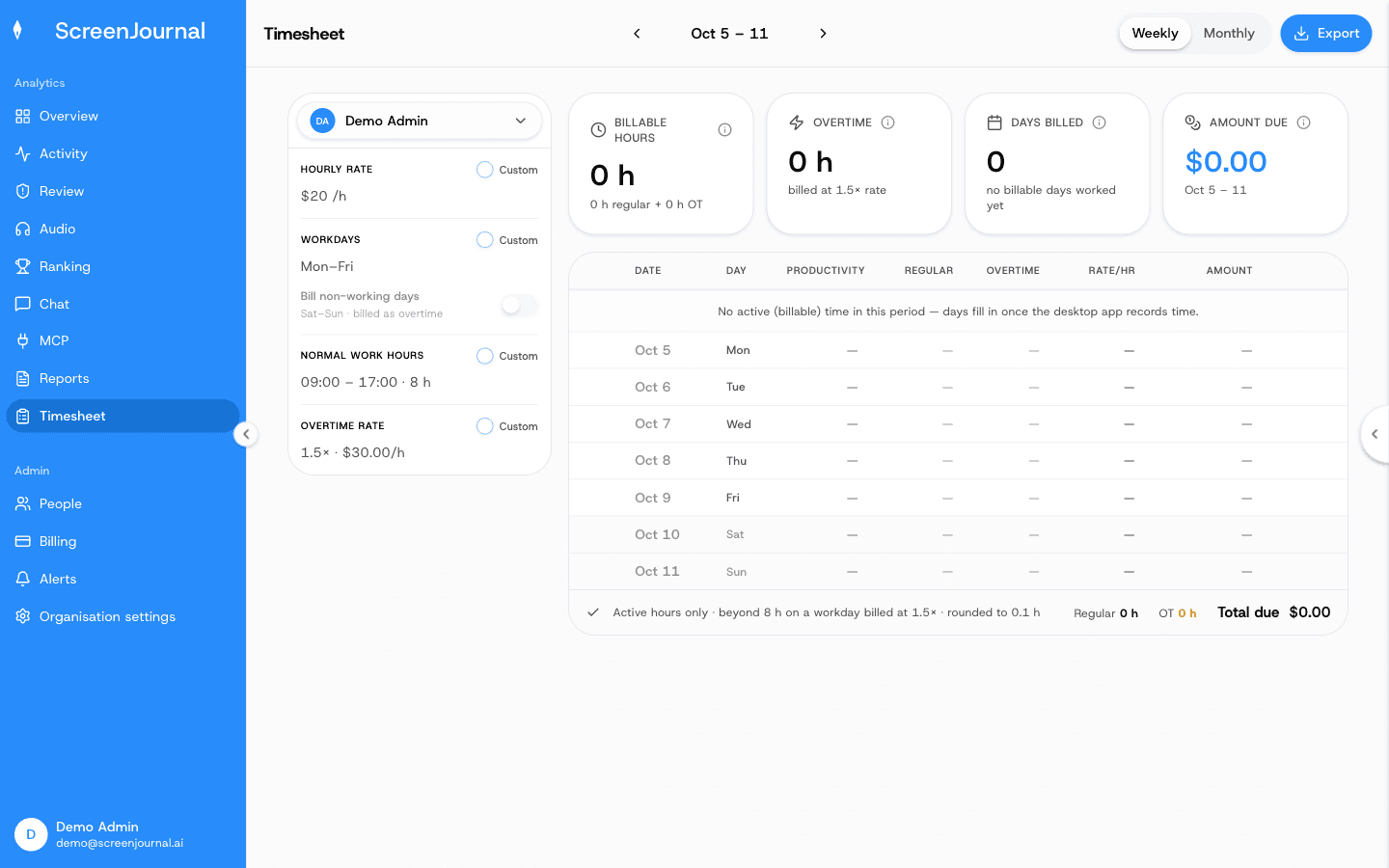
What you see: for one person, per Weekly or Monthly period (arrows step through periods): four summary cards — Billable hours (regular + overtime), Overtime (billed at the overtime multiplier), Days worked (billed days of worked days) and Amount due — and a table with a row per day: Date, Day, Productivity, Regular, Overtime, Rate/hr, Amount and a Details link. Hours are rounded to 0.1 and amounts are in US dollars.
Pay settings
The left panel holds the settings the calculation uses. Each shows the organisation default; tick Custom to override it for the selected person only:
- Hourly rate
- Workdays — which weekdays count, taken from the organisation's working calendar.
- Bill non-working days — pay weekends and holidays too, billed as overtime.
- Normal work hours — the daily window; hours beyond it are overtime.
- Overtime rate — the multiplier.
Organisation-wide defaults can't be edited in the dashboard yet; ask ScreenJournal support to set or change them. Per-person overrides are saved as you make them and only managers can change them.
Excluding time
- Untick a day in the first column to exclude the whole day from pay.
- Details opens the day's segments (time, activity, score). Exclude any single segment, or use Exclude flagged to drop every segment scored below productive in one go. Excluded segments subtract their tracked duration from the day, and every total reflows.
Exclusions are stored, so a colleague opening the same period sees the same sheet.
Export
Export downloads the visible period as a CSV (one line per day — billed, excluded, not billed, or absent — plus a totals row), ready for Excel or payroll.
Who sees what
Managers pick a person from the selector, within their reach (organisation, team, or reportees). Employees and viewers see their own sheet, read-only. Days follow the organisation timezone and the working calendar.