We record work, not people: how ScreenJournal keeps employees private
Updated on 14 September 2026
ScreenJournal is monitoring software that, by default, cannot show your boss your screen, because it keeps no footage. It never captures apps and sites on the organisation's privacy exclusion list, removes PII while processing, and lets employees redact parts of their timeline when the organisation allows it. Here is how the three privacy stages work.
Why is there no footage for a manager to watch by default?
Because by default ScreenJournal does not keep any. It reads on-screen work as it happens, a frontier AI model analyses that activity to derive a timeline of what was actually done, and the raw screen data is deleted during processing. The transient capture is video, a short-lived recording that exists to be read, not watched. What survives is understanding: plain-English entries recording what was done, in which app and for how long. By default there is no screenshot archive to scroll, no video to replay, no footage to secure and no footage to leak. The exception is deliberate and disclosed: where a manager needs video evidence they can opt in to keep the recordings for their organisation or team, in what this site calls Evidence Mode, and those recordings are stored for up to 3 months. Members are told at desktop sign-in that their screen may be recorded.
This design is called derive-and-discard, and it inverts the usual bargain. Traditional monitoring hands a manager a pile of evidence and leaves the interpreting to them; ScreenJournal keeps the insight and, by default, discards the footage. For how that compares with tools built the other way round, see ScreenJournal vs surveillance suites.
What does ScreenJournal capture in the first place?
Stage one is scope. Apps and sites on the organisation's privacy exclusion list, such as banking, payroll, HR and health, are never captured: the recorder stops for that window and the timeline shows only that capture was skipped. And a gap an employee explains on their own timeline can be saved as Personal, which counts as neutral time rather than as anyone's work.
Privacy that starts at capture is different in kind from privacy applied afterwards. A blurred screenshot still exists; an unrecorded lunch break simply never became data.
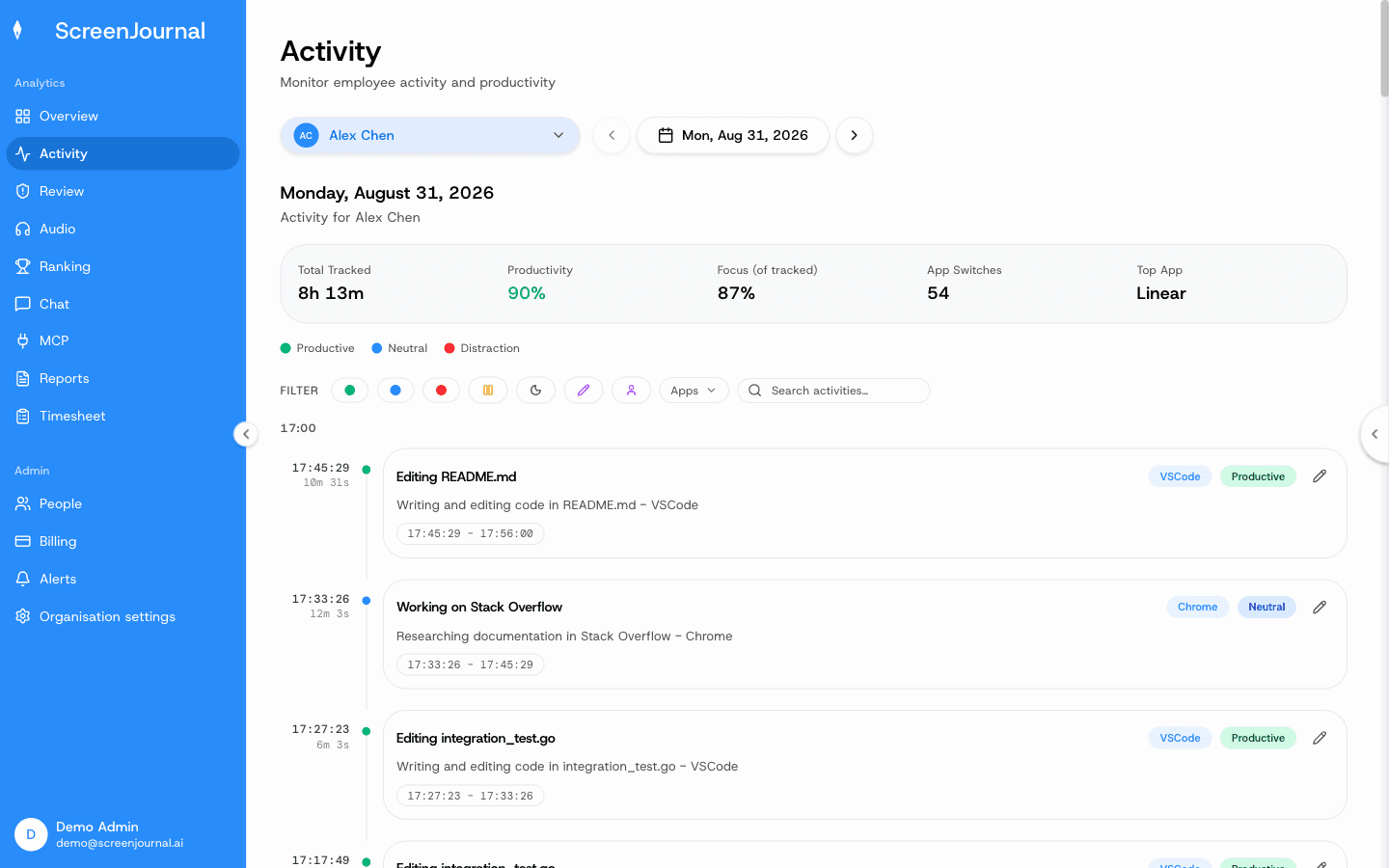
Proof: the Activity page, one person's day as scored segments with the app, time range, duration and an AI-written description; hover a segment for Correct score, Play recording and Redact, each gated by role and policy.
What happens to personal information during processing?
Stage two is redaction during processing. Before anything is stored, PII is removed from the derived record: the AI model that reads the work keeps the work and drops the personal. What lands in the timeline is a description of what was done, in which app and for how long, with a score. The record is about the work, which is the whole point of the product's name.
What can employees redact?
Stage three is employee control. When the organisation ticks Employee under its redaction settings, every segment on a person's own timeline carries a Redact action. Redaction erases the segment entirely, so it is gone: not visible to a manager reviewing the day, gone from every derived report, and never appearing in anyone's search of past work. And because employees see the same activity view managers do, there is no second, secret record behind the one you are shown. What a work timeline contains is exactly what everyone is looking at.
Proof: the Activity page, one person's day as scored segments with the app, time range, duration and an AI-written description; hover a segment for Correct score, Play recording and Redact, each gated by role and policy.
What cannot be hidden?
Alert evidence. If an organisation writes alert rules, for example "alert if someone exports customer records outside the CRM", a matching segment raises an alert the member must explain, and the clip kept as evidence for it is exempt from redaction. This is deliberate and disclosed. The same openness applies to one more limit: redaction is a permission the organisation's administrators grant, and nobody has it until they do. The three stages exist to protect people, not to provide cover for policy breaches, and drawing that line openly is part of what makes the rest of the privacy design credible.
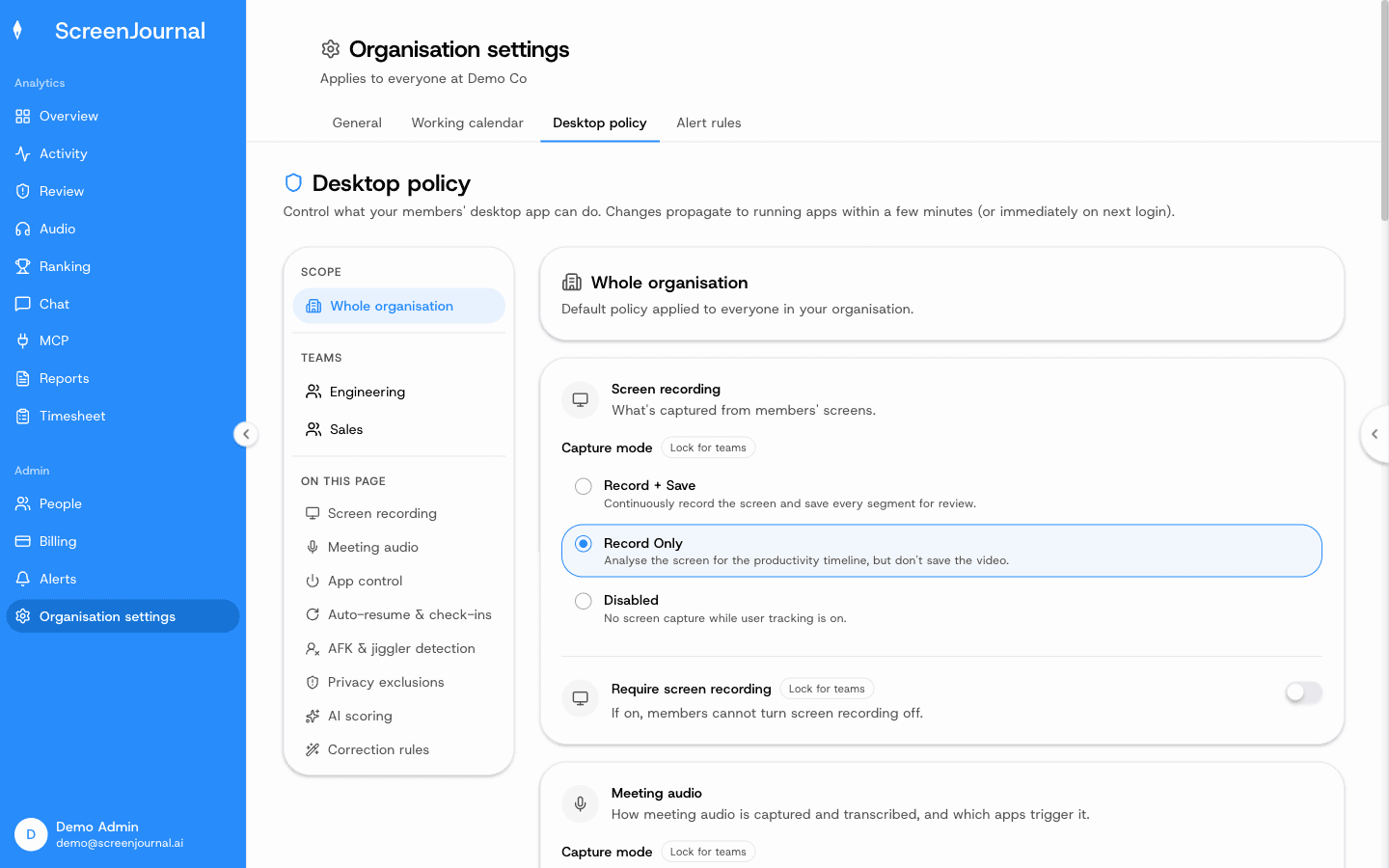
Proof: Organisation settings → Desktop policy, where capture mode, meeting audio, privacy exclusions and correction rules are set for the organisation or a team.
Why does recording work instead of people build trust?
Because every part of the design either gives something back or takes a threat off the table. Transparency: employees see exactly what managers see. Restraint: nudges are off until an admin writes an alert rule, so the software never pings anyone into looking busy. Fairness: scores attach to work sessions, not people, and an admin can correct one the AI misread. And memory: timelines accumulate into a searchable chronicle, so the same record that gives a manager answers gives each employee their own history back, findable when they need it.
Monitoring that stores footage asks employees to accept risk for someone else's benefit. Recording work rather than people removes the risk and shares the benefit, and that is a bargain people can actually accept.
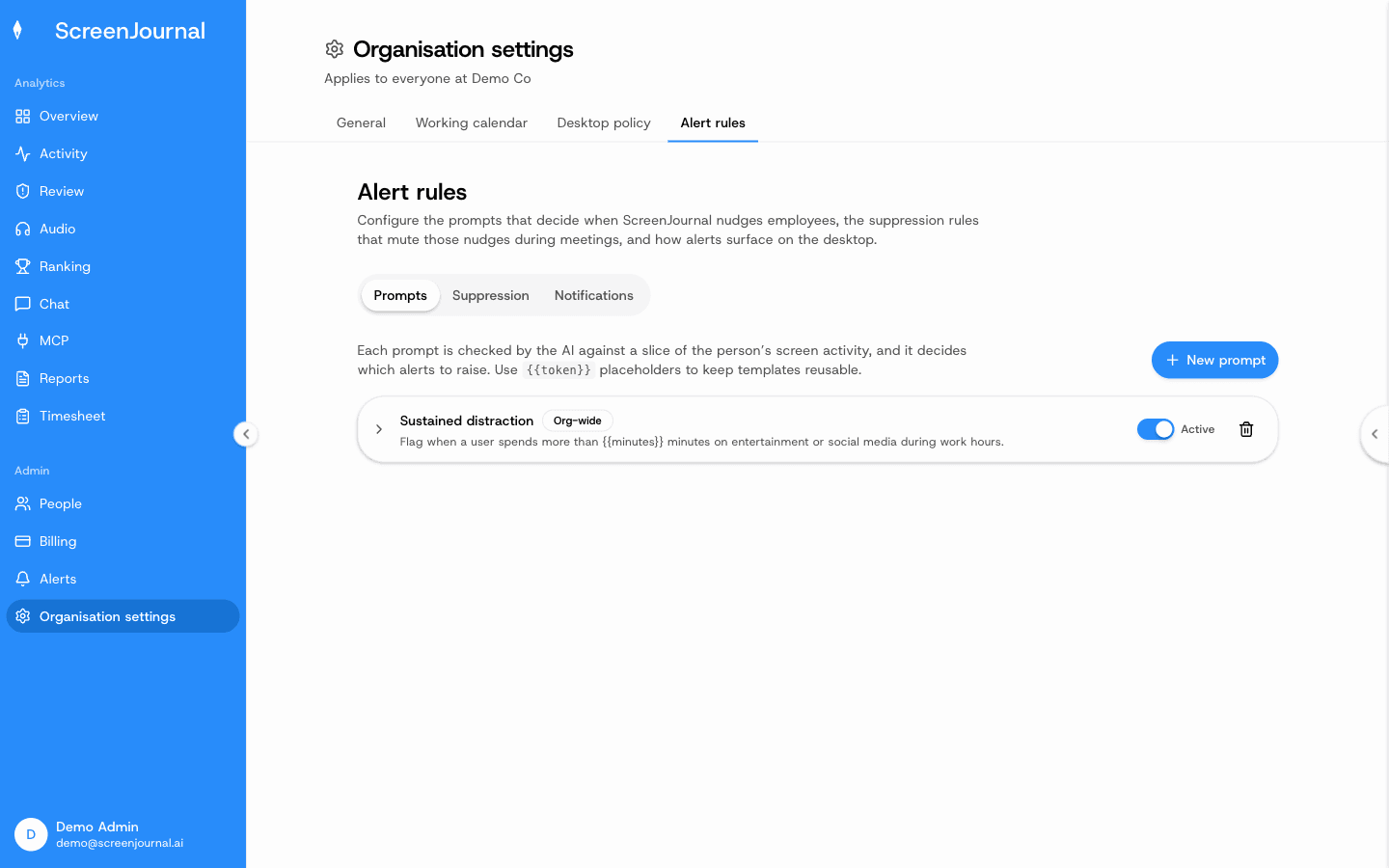
Proof: Organisation settings → Alert rules, where nothing fires until an admin writes a prompt.
Privacy FAQs
Can my employer see my screen with ScreenJournal?
Not as footage by default. ScreenJournal takes no screenshots and keeps no video unless a manager has opted in to keep video evidence, so by default there is nothing to watch back. Managers see derived insight: the timeline, timesheets and reports, with personal activity skipped and PII removed.
Does ScreenJournal log keystrokes?
No. It reads work output, not keystrokes.
If I redact an entry, can anyone else still see it?
No. A redacted entry is erased entirely, so it never appears in anyone's search. Apps and sites on the privacy exclusion list are never captured, and you can additionally redact parts of your timeline when your organisation allows it.
How long does ScreenJournal keep raw screen data?
By default it is deleted immediately during processing: ScreenJournal keeps the derived timeline, not the footage, so there is no screenshot or video archive. Where a manager has opted in to keep video evidence for their organisation or team, those recordings are stored for up to 3 months.
See the work itself, not screenshots of it
Timesheets, reports and answers from the work your team actually did. Available for Windows and macOS, with Linux and mobile support coming soon.